Why "best" depends on your bench, not the spec sheet
Most ranked lists answer a different question than the one you are asking. They compare this year's machines for a generic buyer. You are choosing a first resin printer for a small apartment workbench, and you are printing 28–32 mm miniatures: faces, thin blades, cloaks, and the occasional monster. Those two jobs stress different things.
So this guide is built the other way around. First you get the criteria that decide whether miniatures actually look good and whether the workflow survives a kitchen table. Then you get the specific numbers and questions to check against any machine currently in stock. Prices and lineups move faster than a ranked list can stay honest, so treat the criteria as the list and the spec sheet as evidence you gather yourself.
Six criteria carry almost all the weight: XY resolution, build volume, apartment workflow and resin safety, ease of use, upkeep, and value. Here is what each one controls, and what to check.
Criterion | What it controls | What to check |
|---|---|---|
XY resolution | Edge sharpness on faces and thin parts | Stated pixel size in microns |
Build volume | How many minis per plate, and whether a monster fits uncut | Footprint and Z height in millimeters |
Workflow and safety | Odor, spills, ventilation, cleanup | Enclosure or vat sealing, wash-and-cure footprint |
Ease of use | How often you fight the machine instead of printing | Leveling method, film swap, slicer support |
Upkeep | What wears out, and what replacing it costs | Films, screen, vat, spare-part availability |
Value | Cost per finished miniature, not sticker price | Price plus consumables plus ventilation |
Criterion 1: XY resolution and detail for 28–32 mm minis
XY resolution is the size of one pixel on the screen that cures each layer. Smaller pixels mean sharper transitions at the edges of the print: eyes, teeth, the flat of a blade, the crisp rim of a pauldron. It matters more for miniatures than for large terrain, because at 28–32 mm scale a fraction of a millimeter is a facial feature.
When you compare machines, look for a stated pixel size in microns rather than a resolution headline. A 4K or 8K label only means something relative to the screen size, and a smaller screen with the same resolution can produce a smaller pixel. If a listing states the pixel size, compare that number directly. If it does not, look for a full spec table or ask the seller, and treat an unresolved answer as a real cost.
Layer height is the vertical counterpart. Miniature painters generally want layers fine enough that the lines disappear under primer. Check the minimum layer height the machine supports and whether your slicer exposes it, then decide what you are willing to trade: finer layers take longer, and a plate of miniatures is already a long print.
Also ask about anti-aliasing and the release film the machine ships with. Anti-aliasing softens the staircase on curved surfaces, which is exactly where miniature detail lives. The film type affects peel force, print speed, and the marks left on a base.
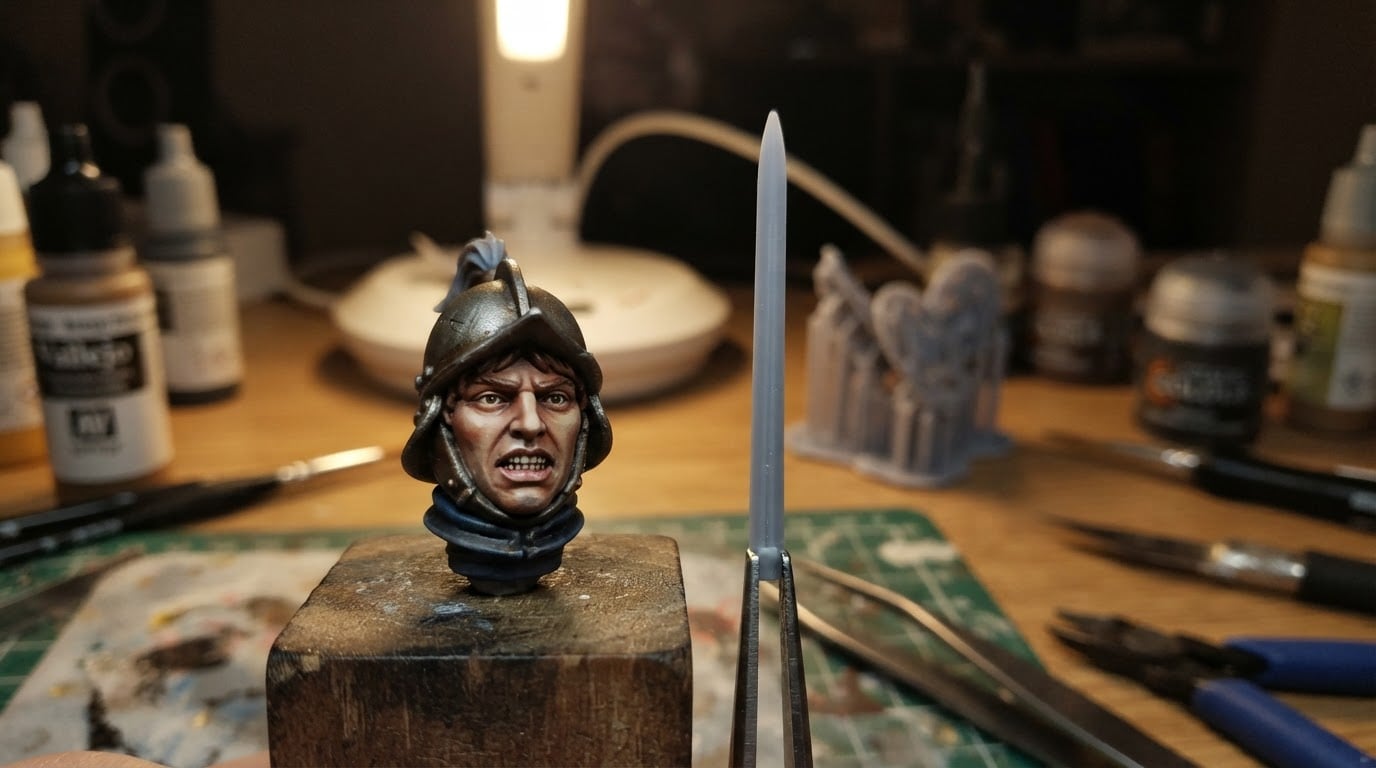
Finally, judge output rather than marketing. Find test prints of a miniature head and something thin, like a sword or a spear, and look at the features you care about: are the eye sockets clean, or is the detail mushy? Do thin parts stay straight, or do they look chewed? A machine that renders a calibration model beautifully but smears fine miniature detail is the wrong machine for this job.
Criterion 2: Build volume for squads and monsters
Build volume is a footprint problem and a height problem. The footprint decides how many miniatures fit on one plate; the Z height decides whether your biggest model fits without being cut into pieces.
Start with the models you actually print. A squad of five to ten infantry-sized miniatures plus their supports takes more floor space than most people expect, especially once you space them out for a clean peel. A monster or a display piece can be tall enough to reach the top of the build chamber. Ask two concrete questions of any machine: how many of your standard minis fit on one plate at the spacing you need, and what is the tallest model that fits in one piece?
Bigger is not automatically better. A larger plate uses more resin per fill, produces more peel force on every layer, and takes longer to clean when something fails. In a small apartment, the honest trade is usually a mid-size plate that runs often rather than a large plate that runs rarely and takes over the desk.
Hollowing and sectioning are part of this decision too. If you plan to print large creatures, check whether the machine's height takes the largest single piece you want, or whether you will need to cut, hollow, drain, and assemble. Neither answer is wrong; they just change your workflow and your failure points.
Criterion 3: Apartment workflow and resin safety
This is where most first-time buyers get surprised. Uncured resin is not craft paint, and repeated skin contact is a known hazard in this hobby. Gloves, eye protection, a dedicated work surface, and a plan for spills belong on the bench from day one.
Before you buy, answer the room questions. Where does the printer live, and can that surface be sacrificed to resin stains? Can the space be ventilated while the printer runs and while you clean up, or will you need a filter option? Can you keep uncured resin and dirty tools away from food, pets, and children? Can you close a window in winter without sealing the smell into the room?
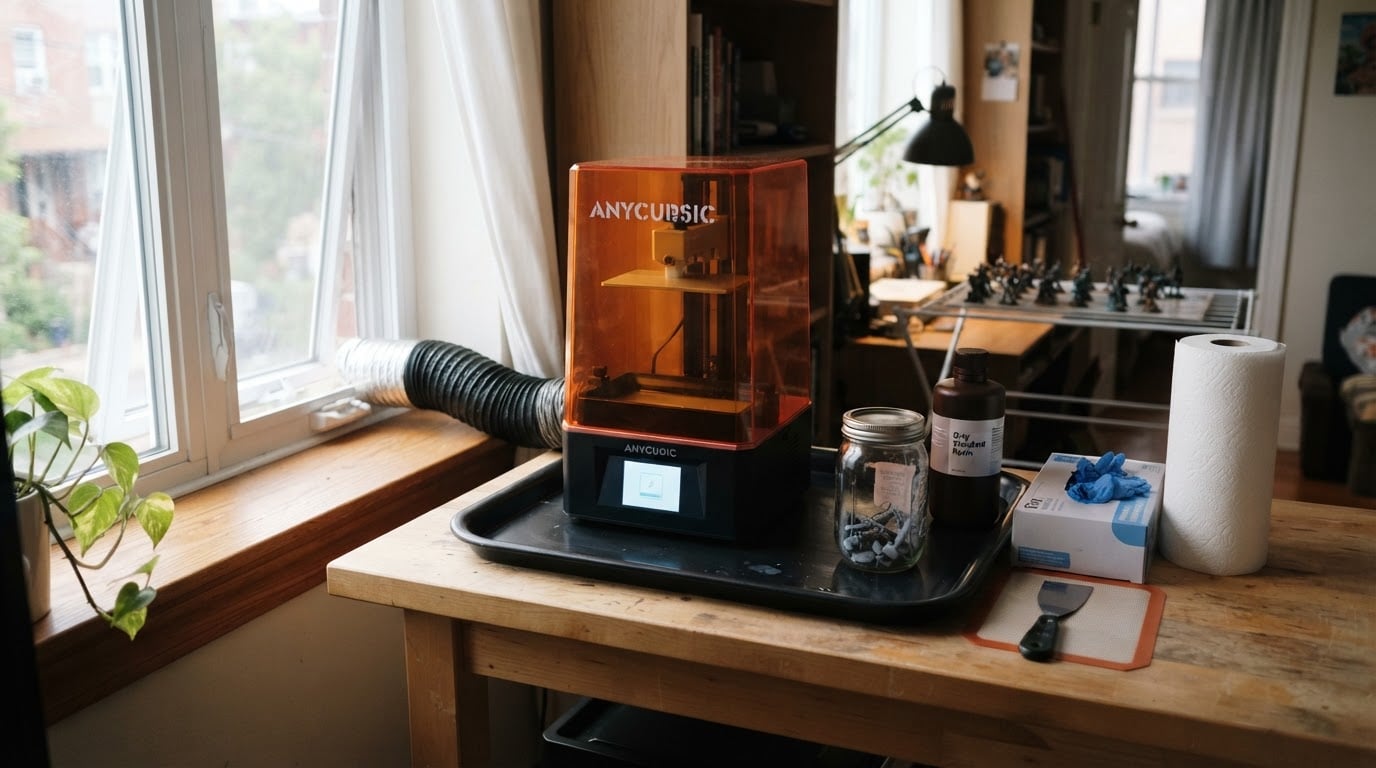
Then check how the machine behaves in a small space. An enclosure or a well-sealed vat limits odor while the printer sits idle. Noise matters if it runs overnight in a living room. The wash-and-cure station is a second footprint that needs its own tray, its own liquid, and its own disposal plan, so check what liquids it uses before you commit, and check how your local waste rules treat resin-contaminated alcohol or water.
Criterion 4: Ease of use
Ease of use is mostly about how many routine tasks stay boring. Leveling is the first one: find out how the machine levels and how often you have to redo it. Film changes are the second: you will replace the release film eventually, and the process ranges from a quick swap to a delicate disassembly.
Then check the software path. Confirm that the slicers you are willing to learn list the machine, and that you can export a print file without a proprietary detour. Look at how the machine drains and filters resin, how the vat is cleaned after a failed print, and how the build plate comes off without dripping across the room.
Because you will troubleshoot, check the community. A machine with an active user base and available spare parts is easier to live with than a cheaper one that becomes a dead end the first time a screen fails.
Criterion 5: Upkeep and total cost of ownership
The printer is a one-time purchase; the workflow around it is not. The recurring costs to price out before you buy are release films, the LCD screen, resin, washing liquid, gloves, filters, and any replacement parts.
Ask how long the screen and the film typically last, and what they cost where you live. Then work out your real cost per miniature the boring way: slice a representative model, read the resin volume from the slicer, and multiply by your resin price per liter. That number tells you more about value than any star rating, especially once you add the cost of failed prints.
Temperature belongs in this calculation too. Most resins print more predictably in a warm, stable room, and a cold apartment produces mystery failures that look like a faulty machine. Check whether the printer, the resin manufacturer, or the community recommends heating or a heated enclosure for your climate, and budget for it if you print in winter.
Criterion 6: Value — what price actually buys
Value is not a synonym for cheap; it is the ratio of what a machine does for your miniatures to what it costs to own and run. Higher prices usually buy build volume, finer resolution, and convenience features such as easier leveling or better light handling. They do not automatically buy better prints, and the sharpest image in the world does not fix a bad workflow.
Before you commit to a price bracket, decide which criterion you would sacrifice. If you print one squad at a time on a kitchen table, plate size may matter less than odor and cleanup. If you hunt centerpiece monsters, the opposite is true. Writing that priority down before you shop is the cheapest decision aid available.
Best for...: match the criteria to your situation
Use this as a shortlist template against whatever machines are available to you:
- Best for a first printer in a small apartment: prioritize containment and a small footprint. Check vat sealing, odor handling, noise, and where the wash-and-cure station will live before you look at resolution.
- Best for painting a full squad quickly: prioritize plate footprint and a layer height you can tolerate. Check how many of your standard minis fit per plate at realistic spacing.
- Best for the crispest faces and thin blades: prioritize the smallest stated pixel size and anti-aliasing support. Check test prints of a head, not a calibration cube.
- Best for a display monster: prioritize Z height and your hollowing workflow. Check whether the largest piece you want fits uncut, and plan for sectioning if it does not.
- Best for low long-term running cost: prioritize cheap, locally available films and screens. Check replacement prices and spare-part availability before the printer price.
The pipeline your printer is only one part of
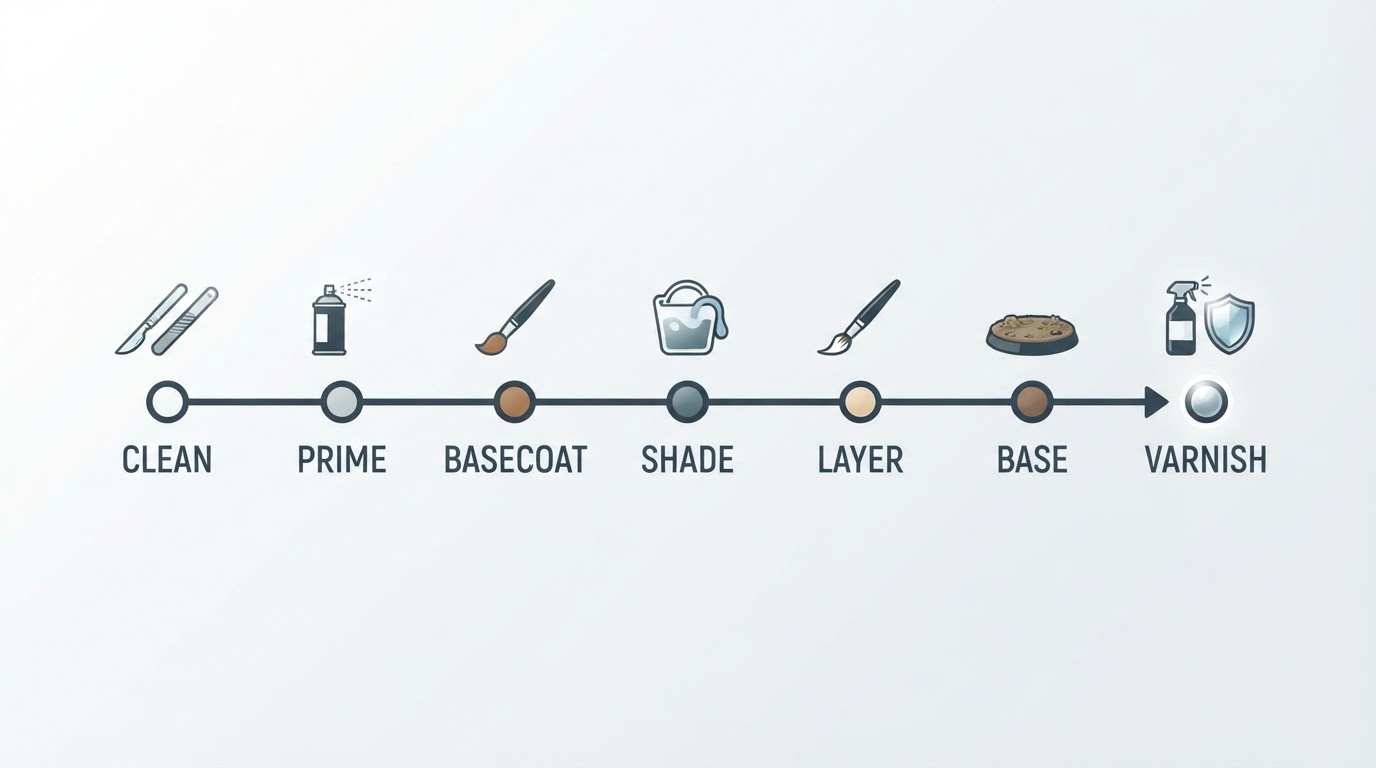
A resin printer produces a gray object, not a painted miniature. Between the print and the paint job there is a wash, a cure, support removal, cleanup, and priming, and every one of those steps can fail on its own. A machine that suits your bench is one whose output enters that pipeline without a fight: clean supports, a flat base, and detail that survives a wash and a cure.
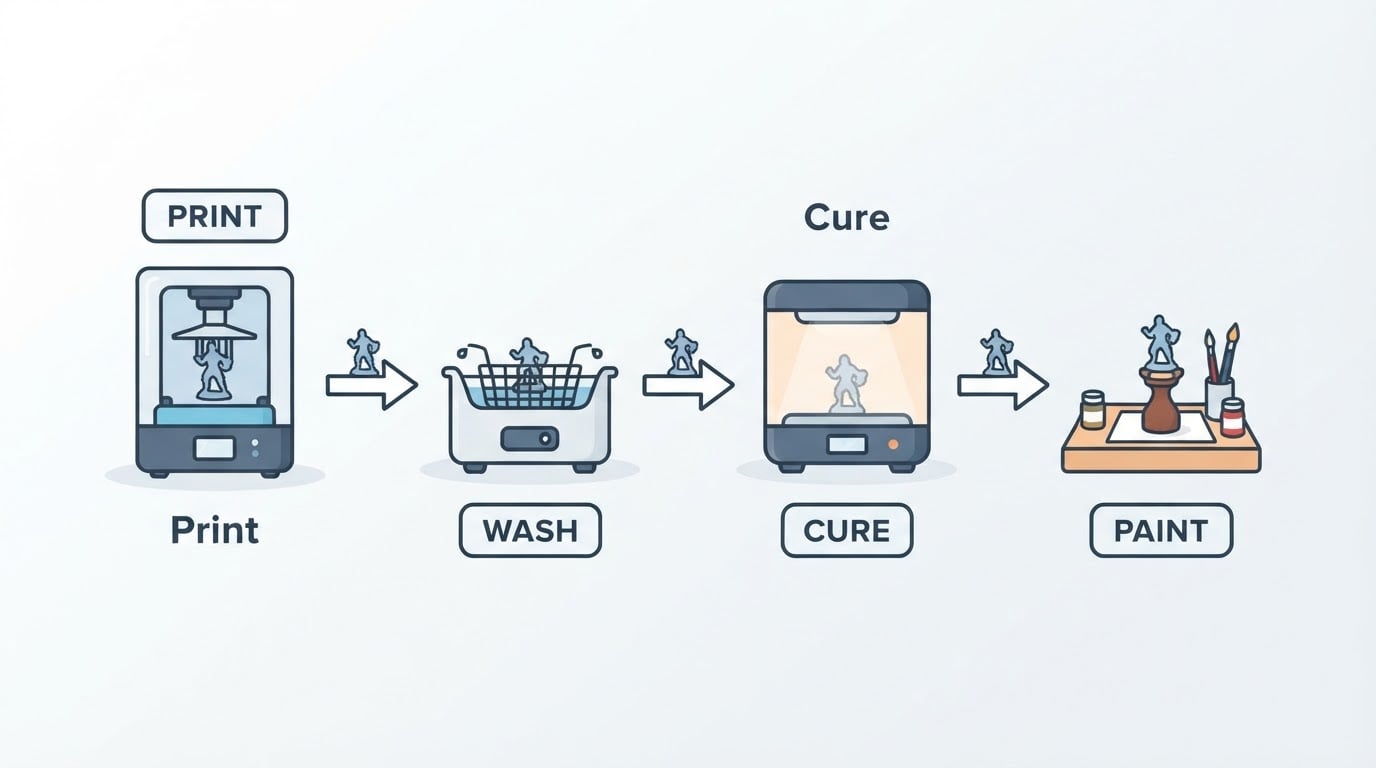
That is why the criteria above lean so hard on workflow. The best resin printer for miniatures is not the model with the largest number in its name. It is the one you can run safely, clean quickly, and afford to keep running — because that is the machine that actually puts painted models on your table.
Last updated: September 19, 2026